If you're searching for a dual boot guide, see here:
https://remarkable.guide/tech/dualboot.html
If you're searching for a way to use the Lamy Pen button out of ddvk / rmhacks, see here:
Security, coding,gaming, research,photography, various stuff
If you're searching for a dual boot guide, see here:
https://remarkable.guide/tech/dualboot.html
If you're searching for a way to use the Lamy Pen button out of ddvk / rmhacks, see here:
The reMarkable 2 tablet is an e-ink paper feel like tablet, aimed at note taking, quick drawing, and PDF/EPub reading.
You can read the product informations/hardware directly on the reMarkable website.
It's voluntarily simple and with no extra apps/functions so you stays focused on what you're doing. Some says it's a default, some says it's a perk. I think it's a perk ;-)
The environnement of the reMarkables (1 & 2) is an open source based linux. By default you can have an ssh access to your tablet, and you have the root access.
Nearly every information on that article can be found in great details here: https://remarkable.guide/
That guide is like the "hitchhiker's guide to the remarkable world".
They're also the ones behind the excellent 'reMarkable' discord server
We are not responsible if you break your device.
Read all the documentation BEFORE acting so you know what you do.
If you want to try something undocumented / unsupported, you better ask the question on remarkable discord first.
Let's start by stating that I'm not willing to use any cloud related functions on that tablet.
I used first codexctl to downgrade the tablet to the last toltec supported version, that is 2.15.1.1189 at the time of the article. Support for 3.X is in the tube, but not yet ready for users.
Then I used toltec to install / manage the linux packets on the reMarkable system.
Once toltec installed, I used the provided opkg commands to install Oxide
Oxide is a desktop environment for the reMarkable tablet.
Features:
See https://oxide.eeems.codes/
Then I installed the following via opkg install (I linked the project pages so you can go to see by yourself):
KOReader : An ebook reader application supporting PDF, DjVu, EPUB, FB2
Plato: An ebook reader application supporting PDF/CBZ/FB2/XPS/ePUB/DJVU reader
Sill: Gesture-based text editor (and shell) for the reMarkable tablet
VNSee: VNC client for the reMarkable tablet allowing you to use the device as a second screen
calculator
rmFM: Bare-bones file manager for the reMarkable paper tablet, built using Node.js and sas
restream: Stream your reMarkable screen over SSH
webinterface-wifi: View the web interface over wifi. For the ReMarkable Tablet
webinterface-upload: Upload button for the web interface, alternative to drag and drop. For the ReMarkable Tablet
webinterface-onboot: Enable the web interface on boot. For the ReMarkable Tablet
I also installed genie and iago (UI for drawing shapes with the pen) and genie (config based gesture launcher) following that reddit comment.
I may have installed a few others, but I'm not using them daily.
For some more, you should explore the Awesome reMarkable page (A curated list of projects related to the reMarkable tablet) as well as toltec package list / toltec entware package list
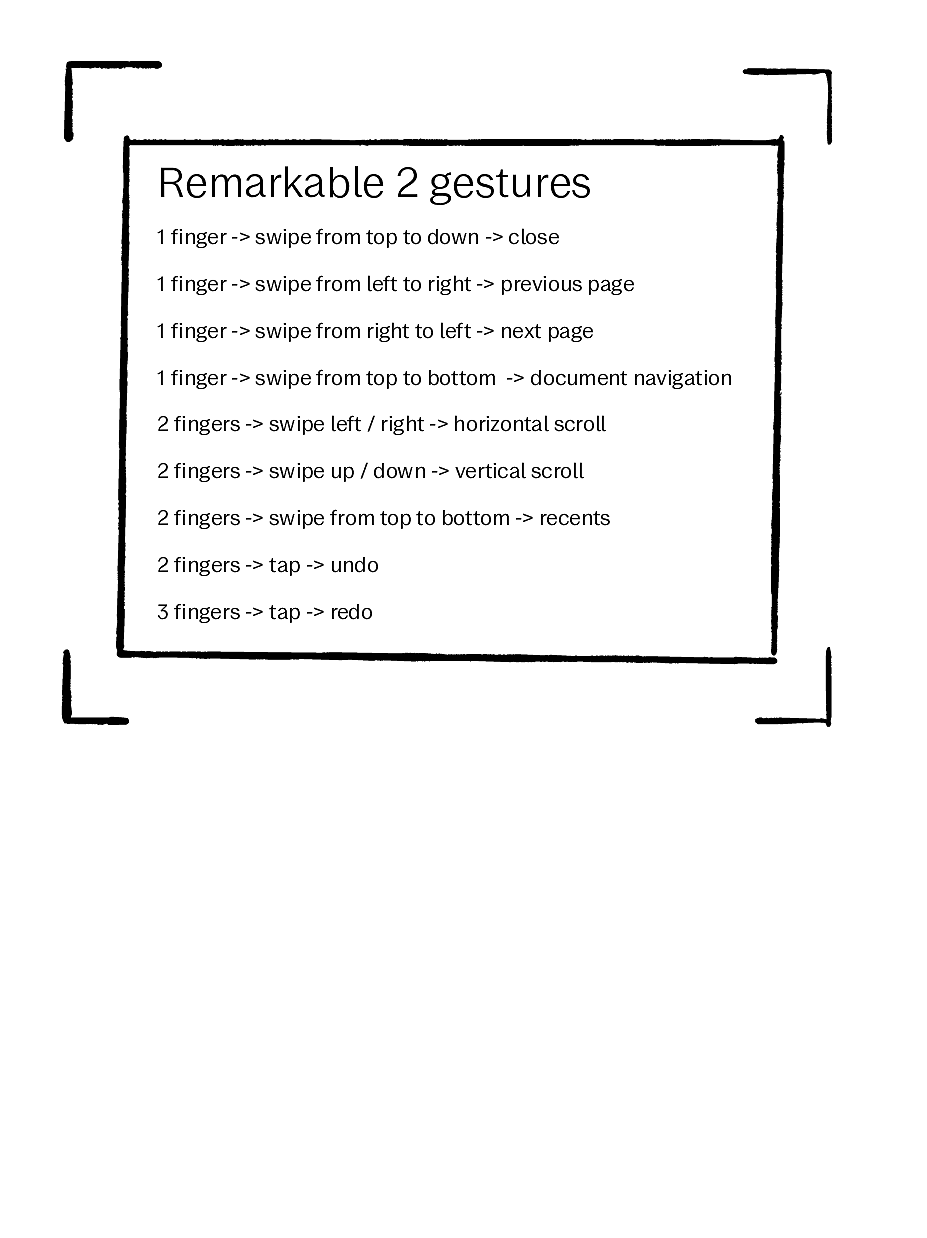
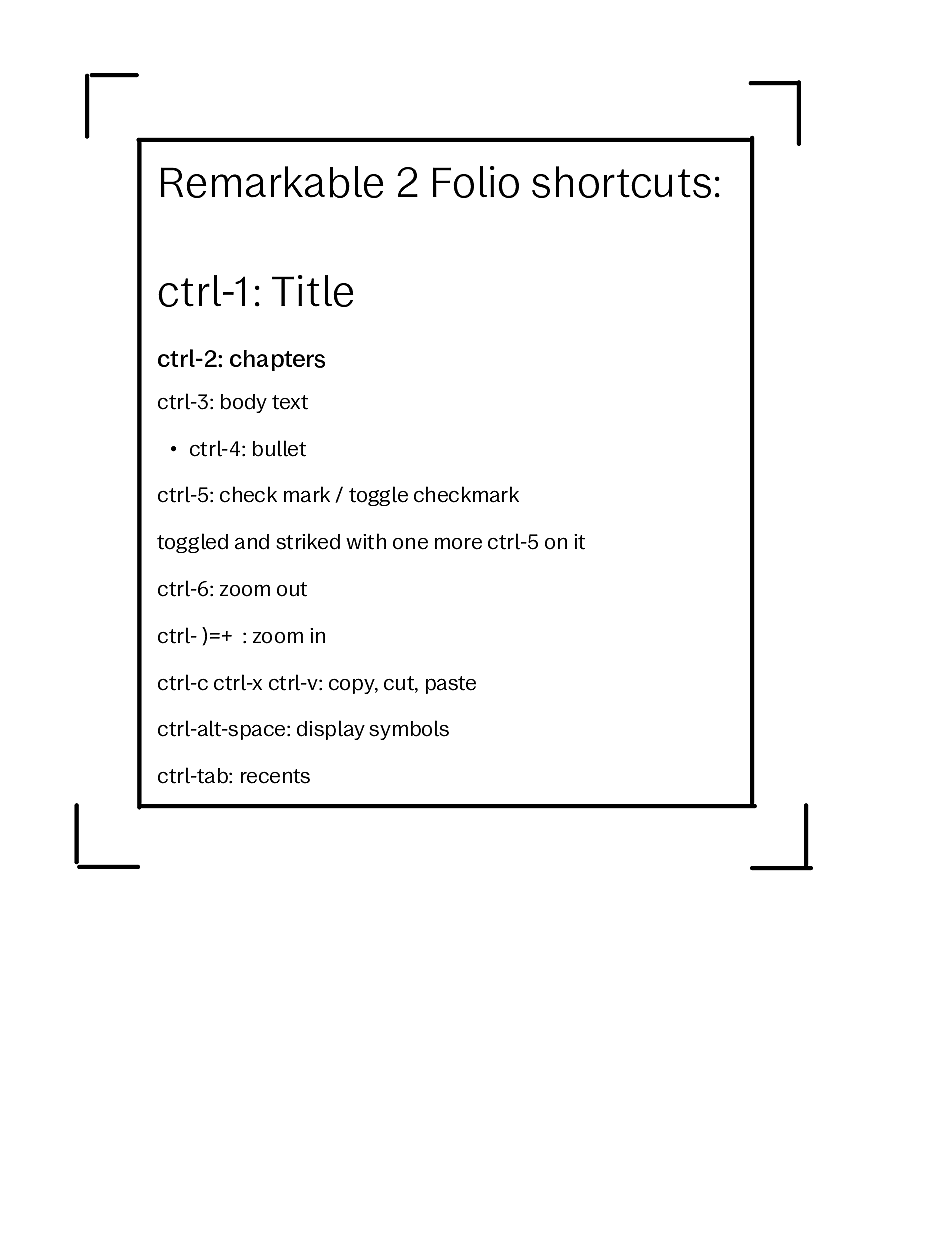
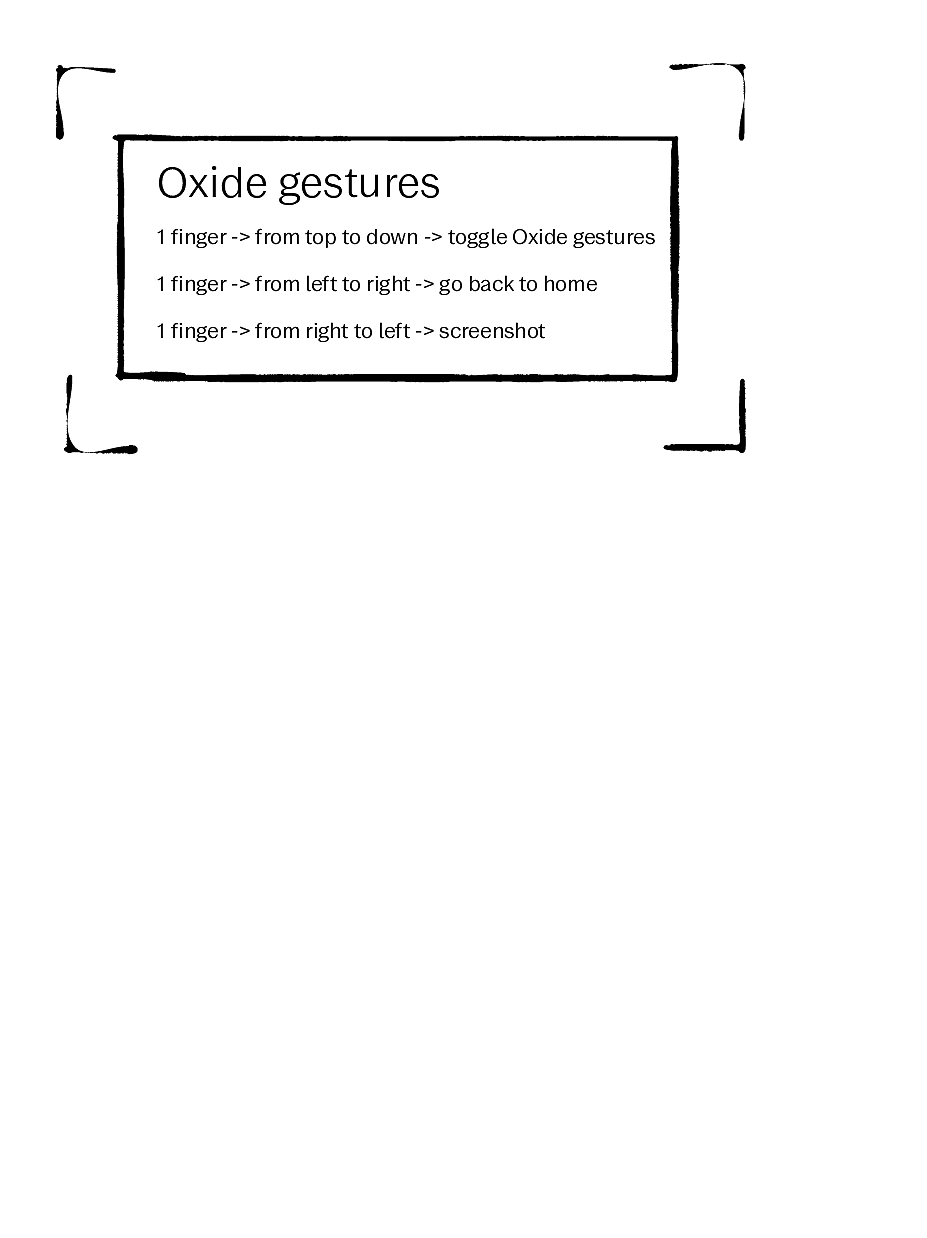
I tried reCalendar, a free online calendar generator that is also making links on dates