A Connect IQ watch app that plays text as Morse code by screen flash, LED flashlight, sound and vibration, together and in step. Pick a message from the list, press START, and the watch sends it. Messages can be added and edited on the watch or typed on the phone.
Links
What it does
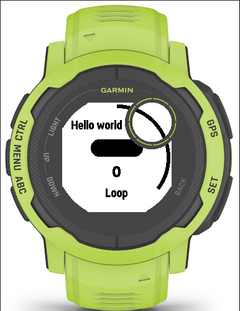
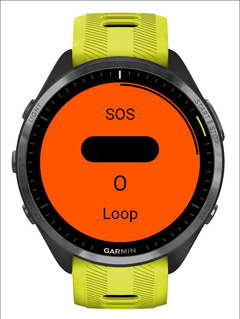
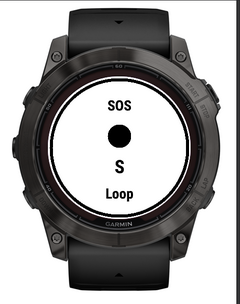
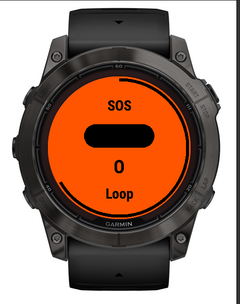
- Plays Morse on up to four channels at once, each switchable: screen flash (the whole display fills with a colour for each dot and dash, with a large dot or bar shape and the character being sent), LED flashlight on watches that have one (fenix 7 Pro / 7X, epix Pro, Enduro 3, Instinct 2X, ...), sound (2000 Hz tone) on watches with a speaker, and vibration.
- Standard ITU timing: dot 1 unit, dash 3, gaps 1 / 3 / 7. Dot length 50 to 400 ms (24 to 3 words per minute), dash and gap lengths all settable.
- Loop a message until stopped, e.g. SOS: a global setting (Options -> Loop) or per message (Messages -> a message -> Loop: Default / On / Off; also in the phone's message slots).
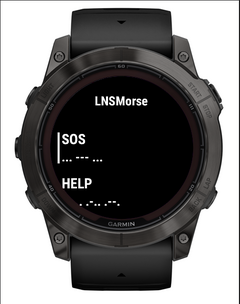
- 26 ready-made messages in five languages: distress and safety (SOS, help, injured, danger, lost, need water), short replies, everyday phrases, amateur-radio classics (CQ, 73, 88) and learning material (PARIS, alphabet, numbers, a pangram, punctuation).
- Your own messages: up to 50, 200 characters each. Add, edit, rename and delete them on the watch (native keyboard, or a letter wheel on watches without one), or type up to 16 of them in Garmin Connect on the phone. They come first in the list, before the defaults; Move up / Move down changes the order.
- Characters: A-Z, 0-9, 20 punctuation marks, and accented letters: the international Morse extensions where they exist (É, È, À, Ä, Ç, Ñ, Ö, Ü), the base letter otherwise (Í, Ó, Á, Ú, ...), ß as SS.
- Send by tap, Transcribe, Practice (every watch except the 96 KB Instinct 2 / 2S / 2X / Crossover and Descent G1, whose memory is too small):
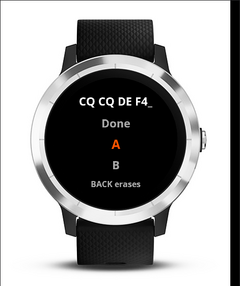
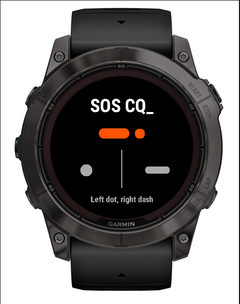
- Send by tap transmits what you key as clean, evenly timed dots and dashes on the chosen channels, for someone else to read;
- Transcribe is silent and turns Morse you key along with (heard or seen elsewhere) into text you can save;
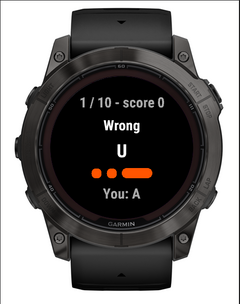
- Practice plays random letters, numbers or groups, you key them back, it keeps score.
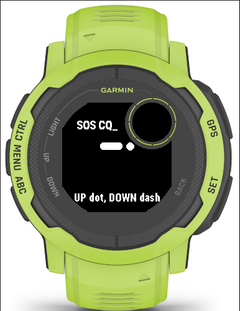
- Input (setting): touch left/right (left half dot, right half dash), touch tap/hold, UP/DOWN buttons, or a straight key (hold START for the element's length; live LED/screen, chunked tone/vibration when sending). Automatic picks left/right on touch watches and the buttons otherwise. Dot and dash can be swapped; the pause that ends a letter is settable; letter and word breaks adapt to your pace.
- Five languages: English, French, Spanish, German, Italian. Menus follow the watch; the default messages follow the "Message language" option (watch language, or a fixed one).
Using it
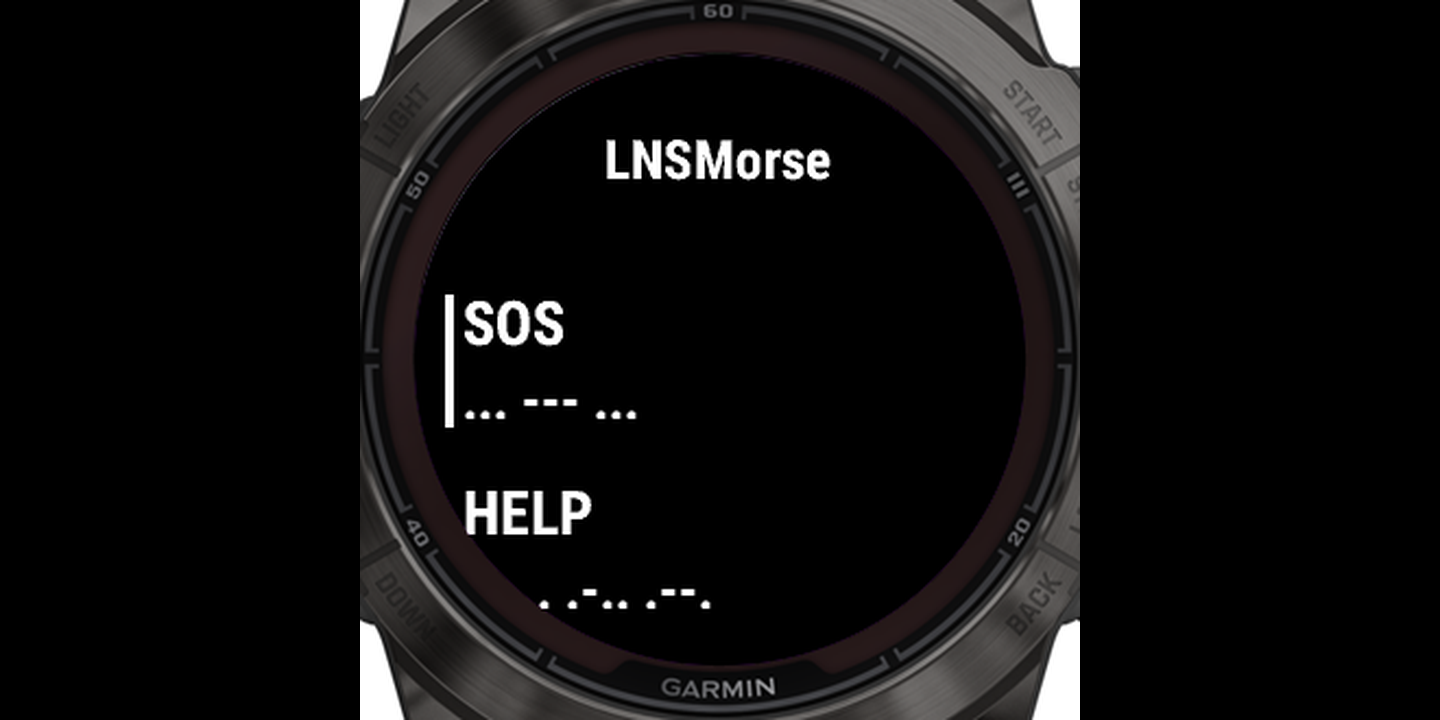
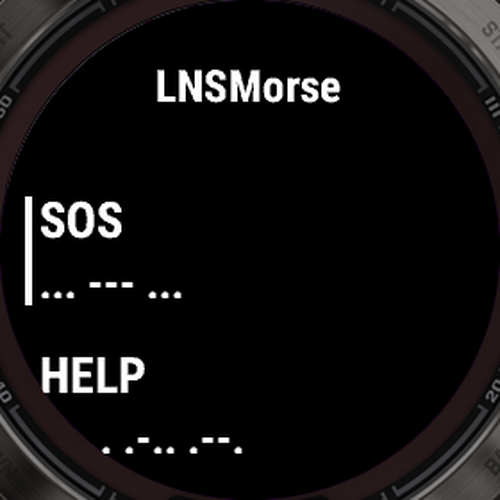
- Main screen: the message list. START plays the selected message. The second line of a row shows the beginning of its Morse.
- Play screen: any key or tap stops; START or a tap plays again; BACK returns to the list. DOWN (lower left on a fenix) switches looping on or off instead of stopping (off finishes the pass being sent) and saves it to that message.
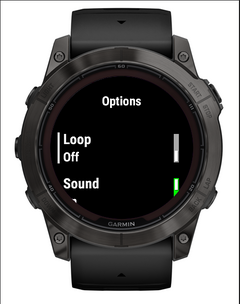
- Options is the last row of the list (press UP from the first message):
- Loop, Sound, Tone pitch, Vibration, Vibration strength
- Light: on/off, dot colour, dash colour, screen brightness, light source (screen / LED / both), LED brightness and LED colour, each shown only where the watch supports it
- Timing: dot length, dash length, letter gap, word gap, reset
- Tap & practice: input, swap dot and dash, letter pause, tick on each tap, practice characters, group size, rounds
- Messages: add, edit text, rename, loop, delete
- Message language, Restore default presets, About
- Send by tap / Transcribe / Practice are the rows just above Options. BACK (or a right swipe) erases the last letter, and leaves when there is nothing to erase. START (MENU or a left swipe on the straight key, where START is the key) is the action: Save as message / Clear / Leave in Send and Transcribe; check (or replay, with nothing entered) in Practice. A practice answer is also checked by itself once it is as long as the item.
- Phone: Garmin Connect -> the app's settings shows every option and 16 "Message" groups (name optional, text up to 200 characters, loop; an empty text is an unused slot; Position 1-16 sets the order, 0 = slot order after those). Whenever that page changes, its messages go to the top of the watch list in that order; removing one there removes it from the watch. A message deleted on the watch stays deleted while its row is unchanged. The settings page exists only for an app installed from the Connect IQ store; a sideloaded copy has none.
Touch limitations
Connect IQ tells an app about a tap only when the finger is lifted, never the moment it touches the screen, so a watch app cannot measure how long the screen is pressed. With touch left/right, dot or dash is chosen by where you tap. With touch tap/hold, a dash registers when the watch decides the touch is a hold, after its own fixed delay, so dashes cannot be faster than that. Very fast tapping can be limited by how quickly the watch reports taps. Only buttons report real press timing, which is why the straight key uses START; watches without a touch screen use the buttons.
Watches
127 watches: every Garmin watch that runs Connect IQ 3.1 or later. fenix 5 to 9, epix, Enduro, Forerunner 245 to 970, Instinct 2 / 2S / 2X / 3 / E / Crossover, Venu (all), vivoactive 3 Music to 6, MARQ, D2, Descent, Approach S50/S70 and the Legacy heroes. The app adapts to what each one has: speaker, LED, touch screen, keyboard, black-and-white screen, the Instinct's round inset display.
Screenshots and checks were made in the simulator on the fenix 7X Pro, Forerunner 965, Instinct 2X and 2S, vivoactive 3, Venu Sq, Venu X1 and Forerunner 55; every other model is build-checked. On the smallest (Instinct 2 / 2S / 2X / Crossover, Descent G1: 96 KB for the app) Send, Transcribe and Practice are left out, which keeps about 22 kB free in the heaviest case.